> ## Documentation Index
> Fetch the complete documentation index at: https://docs.appcharge.com/llms.txt
> Use this file to discover all available pages before exploring further.
# Import the Payment Links SDK
This article explains how to import the Payment Links SDK for iOS. You can install it via Swift Package Manager (SPM) or manually.
## Requirements
| | |
| --------- | :-------------------- |
| iOS | **13.0** or higher |
| Framework | Static `.xcframework` |
| Swift | **5.7 – 5.10** |
| Xcode | **15.0** or higher |
### Distribution methods
* [Swift Package Manager](https://github.com/Appcharge/ios-payment-links)
## Import the SDK via SPM
To import the Payment Links SDK for iOS via SPM:
1. Open your iOS project in Xcode.
2. Go to **File > Add Package Dependencies**.
3. Enter the iOS Payment Links SDK repository URL: `https://github.com/Appcharge/ios-payment-links`.
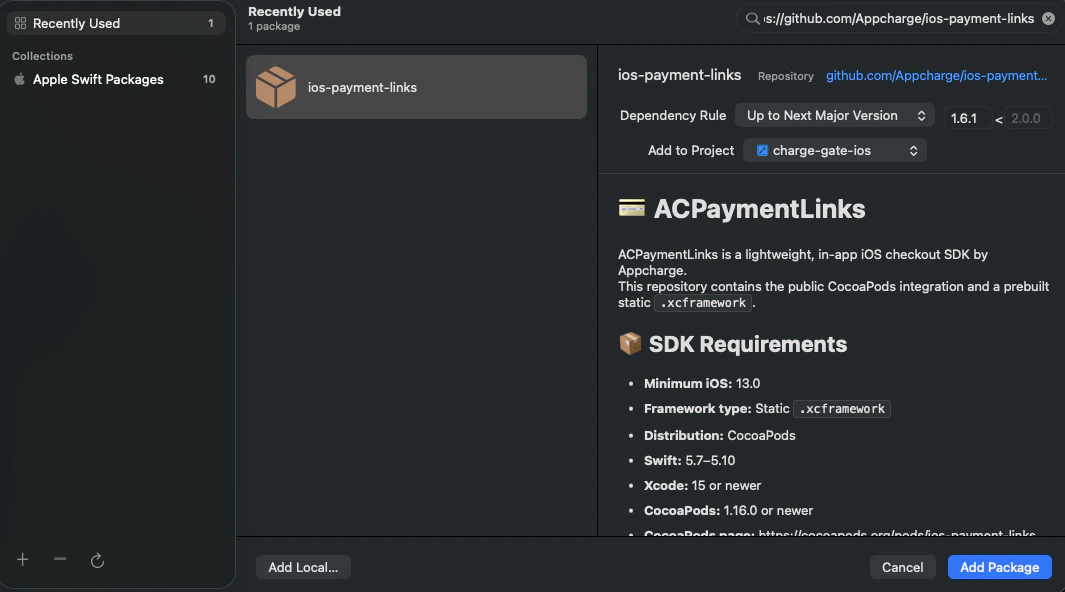 4. Use the dropdown-menu to select your **Dependency Rule**:
* **Up to Next Major Version:** for the latest major version. (Recommended)
4. Use the dropdown-menu to select your **Dependency Rule**:
* **Up to Next Major Version:** for the latest major version. (Recommended)
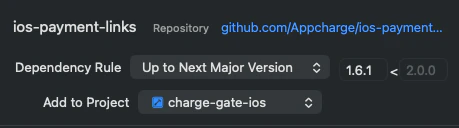 * **Up to Next Minor Version:** for the latest minor version.
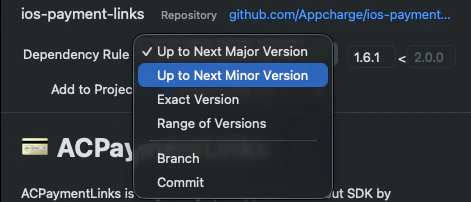 5. Use the **Add to Project** drop-down menu to select your app target.
 ## Import the SDK manually
To import the Payment Links SDK for iOS manually:
1. Clone the Appcharge [Payment Links](https://github.com/Appcharge/ios-payment-links) repository to your local machine.
2. Drag the `ACPaymentLinks.xcframework` folder into your Xcode project navigator.
3. In the popup, make sure **Copy items if needed** is checked.
4. Select your target and go to the **General tab > Frameworks, Libraries, and Embedded Content**. Set the SDK to **Embed & Sign**.
## Import the SDK manually
To import the Payment Links SDK for iOS manually:
1. Clone the Appcharge [Payment Links](https://github.com/Appcharge/ios-payment-links) repository to your local machine.
2. Drag the `ACPaymentLinks.xcframework` folder into your Xcode project navigator.
3. In the popup, make sure **Copy items if needed** is checked.
4. Select your target and go to the **General tab > Frameworks, Libraries, and Embedded Content**. Set the SDK to **Embed & Sign**.