
Assets -> Resources -> Appcharge -> AppchargeConfig directory.
If the file doesn’t exist, you can create one by right-click -> Create -> Appcharge -> Configuration -> AppchargeConfig
Note: This file must be located at Assets -> Resources -> Appcharge -> AppchargeConfig
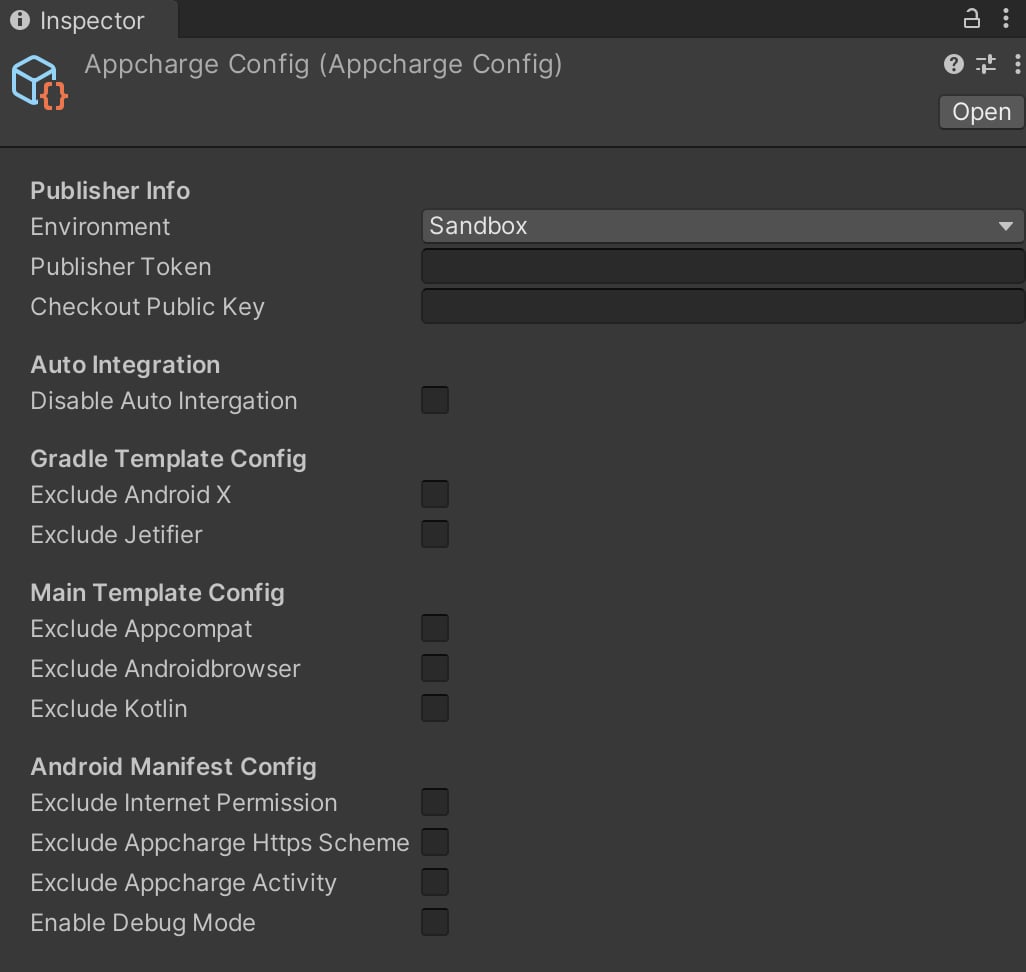
Publisher Info
Auto Integration
Note: Disabling this option will prevent the automatic configuration needed for your project to run the Checkout SDK properly. You will then need to manually configure each file as needed.
Gradle Template Config
If neither option is excluded, the
gradleTemplate.properties file will look as follows during the build process:
Main Template Config
If none excluded, final template will look like this:
Android Manifest Config
If the options are not marked as excluded, the final manifest will look like this: