
How it works
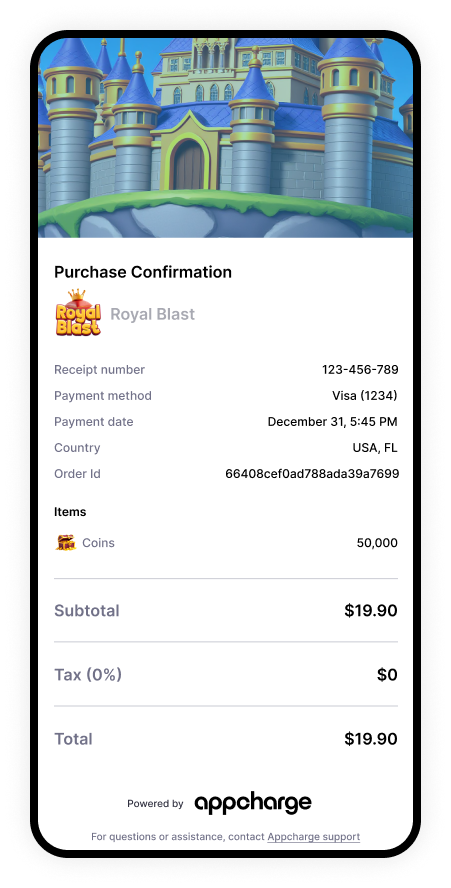
After a player completes a purchase, Appcharge generates and emails a receipt that includes relevant transaction details, such as what was purchased, amounts paid, and any applicable tax or discounts. Receipts are designed to be easy for customers to understand and to give your support team a consistent reference point, such as a receipt number and order ID, when investigating questions about purchases. Purchase and refund receipt emails show the payment date and time in the player’s local time zone, with a time zone label. If the player’s time zone couldn’t be captured, the email uses UTC. You can find the receipt number and order ID in the Orders tab of the Publisher Dashboard. To learn more, see View Orders. Receipts typically include:- Your game’s branding elements such as a customized logo and header.
- Receipt number
- Order ID
- Payment method
- Payment date and time
- Player country
- Itemized list of purchased items
- Tax rate (if applicable)
- Discounts (if applicable)
- Total paid